Categories
Blog

How to Tell if Your Security System Needs a Checkup

In today’s world, having a reliable security system is not just a luxury, it’s a necessity. Whether it’s for your home or business, your security system acts as the first line of defense against threats like burglary, vandalism, or unauthorized access. However, just like any other system, your security setup needs regular inspections and maintenance to ensure it functions optimally. But how do you know when it’s time for a checkup? This guide walks you through the signs, steps, and best practices for maintaining a secure and reliable system.

Why Security Systems Need Regular Maintenance

Security systems comprise numerous components – cameras, motion detectors, alarms, control panels, and more all of which must work together seamlessly. Dust, weather changes, software bugs, or power fluctuations can degrade performance over time. Regular maintenance not only ensures continued protection but also helps avoid costly repairs, false alarms, or potential breaches.

1. Unusual Beeping or Warning Signals

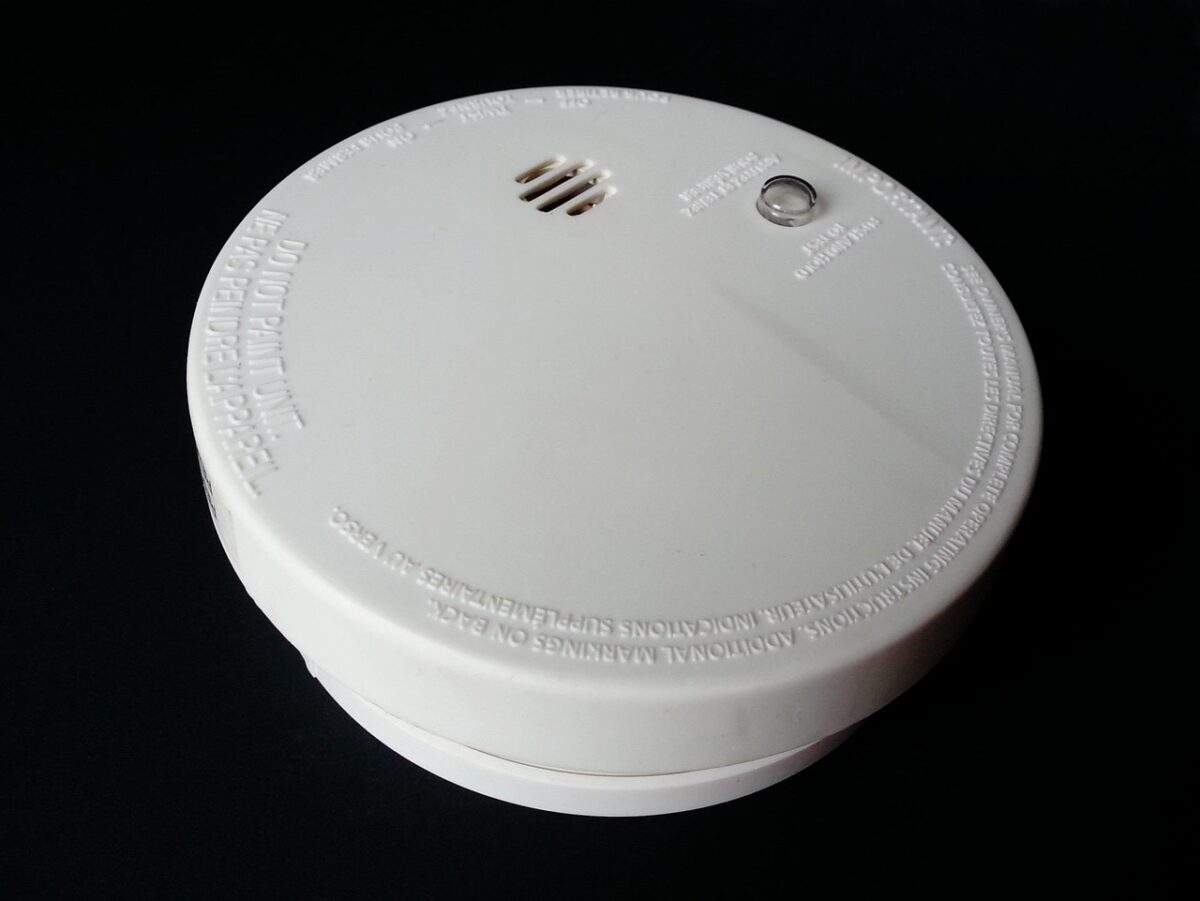
If your alarm panel starts beeping unexpectedly or displays warning lights, don’t ignore it. Most modern security systems are designed to alert users when there’s a problem low battery, sensor disconnection, or communication failure with the monitoring center. Take these beeps as a cry for attention. An ignored alert today could be a missed break-in tomorrow.

2. Delayed or Failed Notifications

Your system should instantly alert you or your monitoring service in case of a breach. If you’ve noticed delayed alerts or you’ve missed a few entirely, it could indicate a communication issue. This is especially concerning for wireless systems that rely on cellular or internet connections. Regularly test notification features and ensure your contact details are up to date in the system.

3. Frequent False Alarms

False alarms can be more than just a nuisance; they can desensitize you to real threats. If your system is frequently triggering alarms for no apparent reason, it may be due to sensor misalignment, low battery, or interference. Don’t just mute the alarm; it’s time to investigate and schedule a system checkup.

4. Outdated Software or Firmware

Security systems often include software for mobile control, cloud storage, and remote access. If your system software or firmware is outdated, it could be vulnerable to security loopholes or cyberattacks. Manufacturers regularly release updates to patch vulnerabilities and enhance functionality. Set a reminder to check for updates at least once a quarter or opt-in for automatic updates where available.

5. Visible Wear and Tear on Equipment

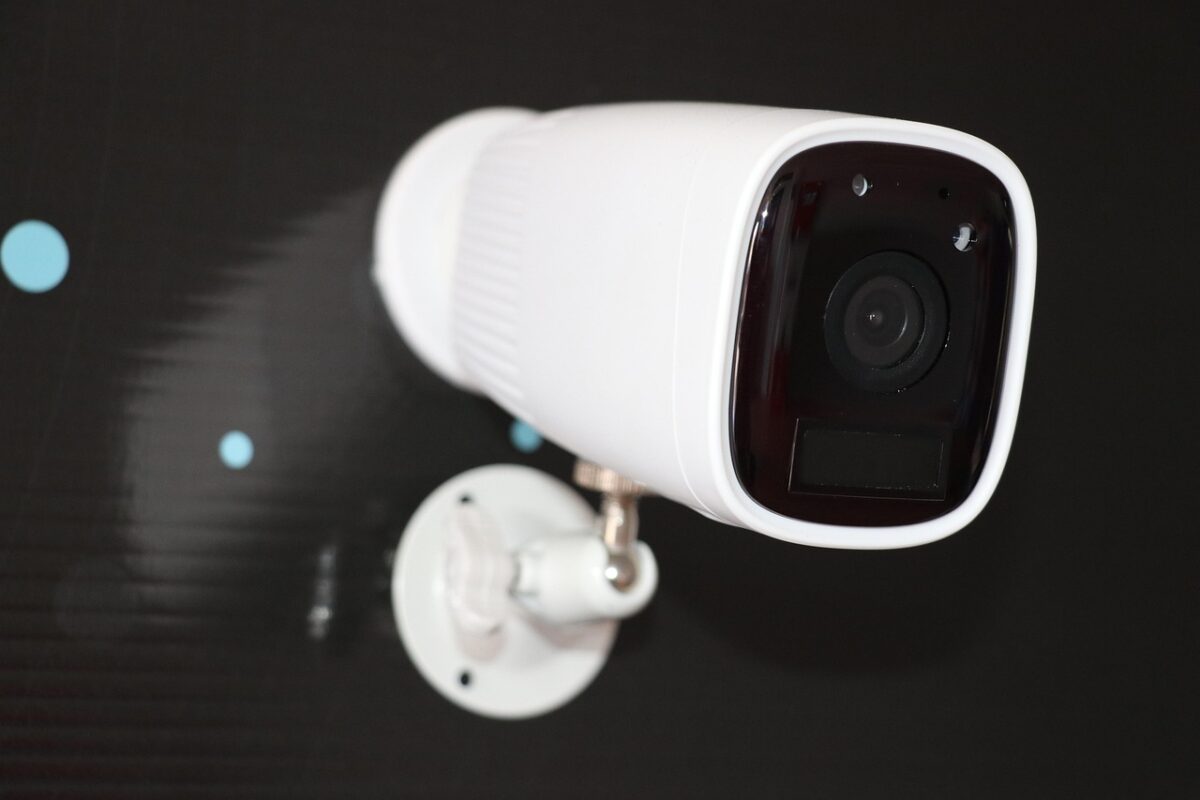
Cameras that have blurred vision, corroded wires, or broken mounts are a red flag. Outdoor cameras and sensors, especially, take a beating from the elements. Look for water damage, rust, or loose cabling. Even indoor devices can be affected by dust accumulation or wear from daily use. If a camera is pointing in the wrong direction or a sensor is hanging loosely, it’s time for immediate attention.

6. Battery Issues and Power Interruptions

Battery-operated components like wireless sensors and backup power supplies are crucial. If your system shuts down during power outages or you’ve been getting low battery alerts, it’s a sign the backup battery may be depleted or faulty. Test batteries regularly and replace them according to the manufacturer’s recommendations typically every 1–3 years.

7. Camera Blind Spots or Poor Coverage

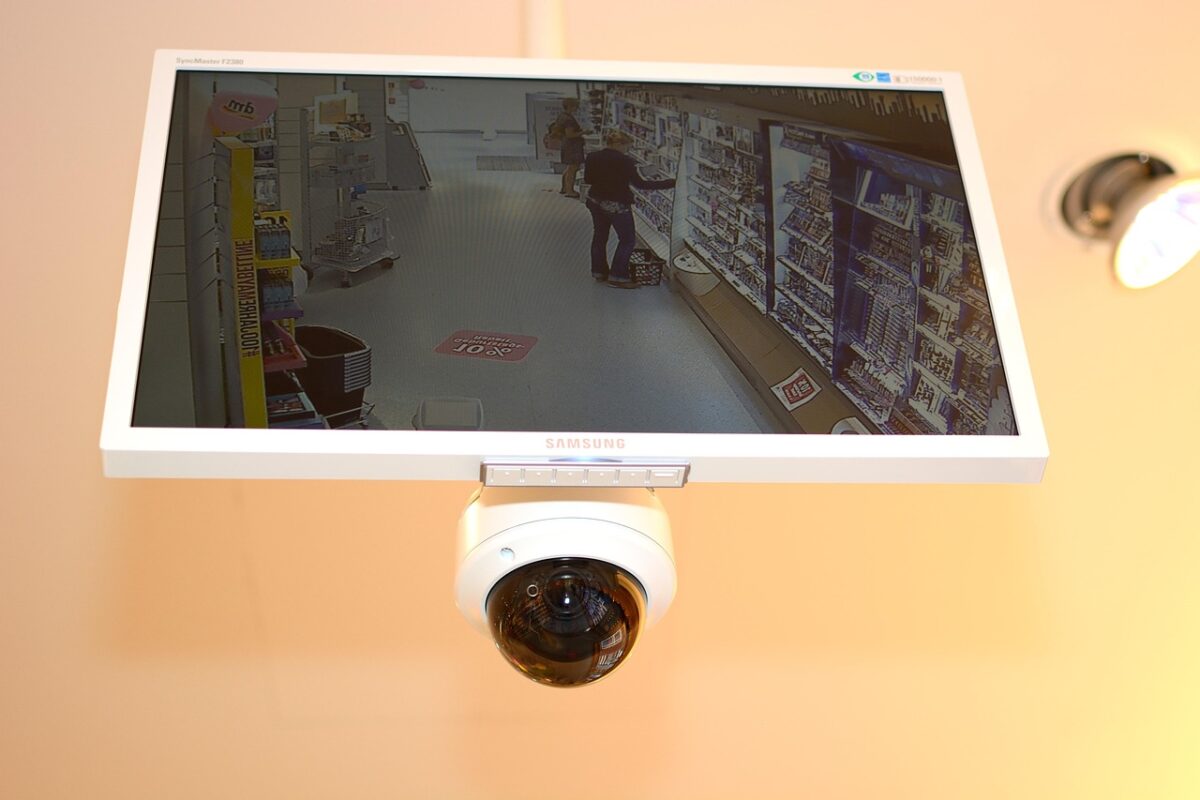
When was the last time you reviewed your security footage or coverage map? Over time, trees grow, furniture gets rearranged, and new blind spots can emerge. If your cameras are no longer covering essential areas like entryways, driveways, or rear exits, you’ll need to realign or upgrade them. Modern cameras with wide-angle lenses or 360-degree views can significantly reduce blind spots.

8. Connectivity Problems with Smart Devices

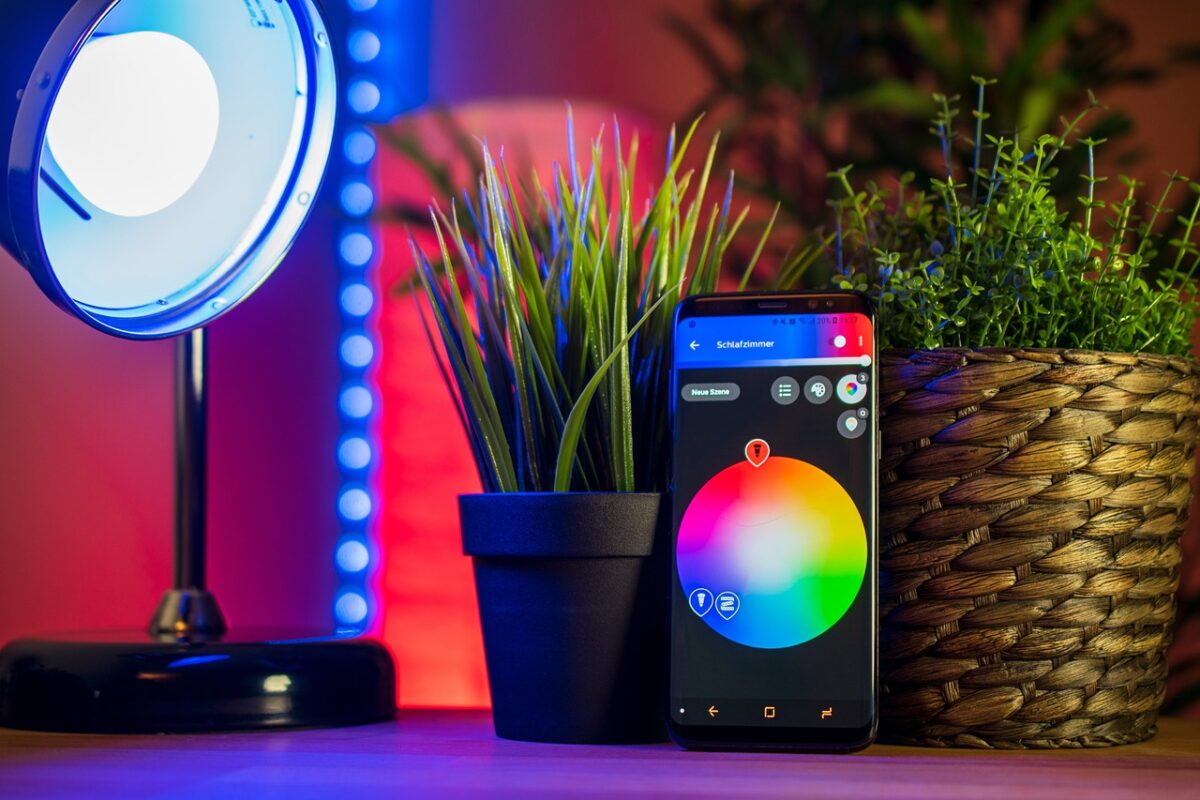
Many modern systems integrate with smart home devices like doorbells, lights, and voice assistants. If these integrations stop working or behave inconsistently, it may be a connectivity issue, a software glitch, or incompatibility caused by updates. Review your network settings, ensure your Wi-Fi signal is strong, and reconfigure smart integrations if needed.

9. Changes in Household or Business Layout

Renovating your property or adding new sections? A layout change means your security system might not be covering new vulnerable areas. Whether it’s a new entrance, window, or converted garage, your security system should evolve with your space. A professional reassessment ensures your system still meets your needs.

10. You Can’t Remember Your Last System Checkup

If it’s been more than a year since your last inspection or you can’t even recall the last time then it’s overdue. Just like servicing your car, regular checkups keep things running smoothly. Most manufacturers recommend a professional checkup every 12–24 months. Some systems even offer built-in diagnostic tools that alert you when maintenance is due.

Best Practices for a Healthy Security System

To keep your system in tip-top shape:

  • Monthly Testing: Test your alarm and notification system at least once a month.
  • Firmware Checks: Regularly check for and install software or firmware updates.
  • Battery Replacement: Replace batteries annually, even if no low-battery warning is triggered.
  • Visual Inspections: Walk around your property quarterly to inspect all cameras, sensors, and wires.
  • Professional Maintenance: Schedule a comprehensive inspection with a certified technician once a year.

When to Call a Professional

While minor issues like changing a battery or cleaning a lens can be DIY fixes, you should call a licensed technician if you experience:

  • System-wide malfunctions
  • Inconsistent notifications
  • Connectivity with smart home devices failing
  • Repeated or unexplained false alarms
  • You’re upgrading or expanding the system

A professional can run diagnostics, reconfigure settings, or recommend necessary upgrades.

Final Thoughts

Your security system is only as strong as its weakest link. Staying proactive with routine maintenance can prevent unexpected failures and give you peace of mind. Knowing the signs that indicate your system needs a checkup helps you respond quickly and effectively.

In a world where safety and security are top priorities, a little upkeep goes a long way. Don’t wait for a break-in or emergency to find out your system isn’t working. If you’ve noticed any of the signs mentioned above, it’s time to give your security setup the attention it deserves.

Categories
Blog

Mastering the Art of Fire Alarm Bids: A Step-by-Step Guide

Securing a fire alarm project, whether in a residential, commercial, or industrial setting, often begins with submitting a strong and well-structured bid. In a highly regulated and competitive industry, the difference between winning and losing a contract often boils down to how well the bid is presented, priced, and aligned with both compliance requirements and client expectations.

This blog provides a comprehensive step-by-step guide to mastering fire alarm bids, offering tips for both seasoned professionals and new entrants to the field.

Step 1: Understand the Scope of Work

Before you even start drafting your fire alarm bid, it’s crucial to understand the scope of the project in detail. This involves:

  • Reviewing architectural and electrical drawings.
  • Examining fire alarm system specifications.
  • Understanding the type of building and occupancy classification.
  • Identifying all devices required—detectors, pull stations, alarms, panels, etc.

A clear understanding of the scope ensures you don’t overbid by including unnecessary features or underbid by leaving out critical components.

Step 2: Conduct a Site Visit

Whenever possible, conduct an in-person site visit. Plans can only show so much, but physical inspection allows you to identify:

  • Hidden challenges such as ceiling heights, accessibility issues, and existing infrastructure.
  • Cable pathways and potential obstructions.
  • Integration points with existing systems, such as sprinkler systems or access controls.

Site visits are also a good opportunity to build rapport with the project managers or property owners, which can be beneficial in the evaluation stage.

Step 3: Review Applicable Codes and Standards

Fire alarm systems must comply with a variety of codes and standards. These include:

  • NFPA 72 – National Fire Alarm and Signaling Code
  • NFPA 70 (NEC) – National Electrical Code
  • Local building codes and AHJ (Authority Having Jurisdiction) requirements

Make sure your bid reflects full code compliance. If you fail to meet mandatory standards, your proposal may be rejected immediately, or worse, you may incur extra costs later if awarded the job.

Step 4: Perform a Load and Battery Calculation

Accurate technical calculations are vital for system reliability and to comply with regulatory requirements. Include:

  • Voltage drop calculations: Ensure the power supply is sufficient for all devices on a circuit.
  • Battery backup calculations: Most codes require at least 24 hours of standby power followed by five minutes of full alarm operation.

Including these calculations in your bid demonstrates technical competence and reduces the likelihood of costly design errors later.

Step 5: Create a Detailed Bill of Materials (BOM)

Your BOM should be itemized and include:

  • Quantity and model of each device
  • Control panels and accessories
  • Conduits, cabling, and wiring types
  • Auxiliary power supplies, if needed
  • Enclosures and mounting hardware

Use accurate pricing and, if possible, include vendor quotes. This adds transparency and helps justify the overall bid value.

Step 6: Estimate Labor Costs

Labor often accounts for a significant portion of the total cost. Consider:

  • Number of technicians required
  • Duration of the project
  • Complexity of installation
  • Certification requirements (e.g., NICET, manufacturer training)

Factor in local wage rates, overtime, travel costs, and the time needed for testing and commissioning.

Step 7: Include Testing, Commissioning, and Handover

Fire alarm systems must be tested after installation to ensure full functionality and compliance. Your bid should outline:

  • Testing methodology
  • System commissioning schedule
  • Coordination with local fire authorities for final approval
  • Handover documentation including as-built drawings, programming files, and manuals

Offering a complete commissioning service enhances the value of your bid.

Step 8: Consider Warranty and Maintenance Provisions

Many clients value long-term service support. Consider offering:

  • A standard 1-year warranty on all parts and labor
  • Optional maintenance contracts
  • Regular inspection services as per NFPA or local codes

Including these elements can differentiate your bid from competitors focused solely on installation.

Step 9: Make Your Proposal Clear and Professional

Presentation matters. Your bid should include:

  • Executive summary
  • Detailed scope of work
  • Technical drawings or layouts
  • Cost breakdown
  • Timeline
  • Terms and conditions

Keep it professional, concise, and error-free. A well-organized proposal builds trust and shows that you take your business seriously.

Step 10: Review and Submit

Before submission, review your bid with fresh eyes or have a peer examine it. Double-check:

  • Quantities
  • Costs
  • Compliance information
  • Formatting

Submit the bid by the stated deadline through the required channel—email, portal upload, or in person.

Bonus Tips for Winning More Fire Alarm Bids

Build Relationships with General Contractors

Networking and building long-term relationships often lead to exclusive bidding invitations or early access to tender information.

Stay Competitive Without Cutting Corners

Price is important, but don’t underbid to win a job at the cost of quality or safety. A reasonable, well-justified price is often preferred over a suspiciously low bid.

Stay Updated with Industry Trends

New fire alarm technologies and wireless systems are gaining popularity. Show awareness and adaptability in your bid.

Leverage Estimating Software

Modern estimating tools can speed up the process and improve accuracy, especially for large-scale projects.

Conclusion

Bidding on fire alarm projects is both an art and a science. Success comes from a deep understanding of code compliance, technical know-how, clear communication, and professional presentation. By following this step-by-step guide, you can enhance your bid’s quality, boost your credibility, and increase your chances of winning projects in a competitive market.

Remember, each bid you submit is not just a proposal, it’s a representation of your brand and commitment to safety.

Categories
Blog

How Home Security Systems Can Reduce Insurance Premiums

In today’s uncertain world, a home security system does more than deter burglars, it can also help you save money on your home insurance premiums. Many homeowners in the UK aren’t aware that installing a professional security system could not only safeguard their property and loved ones but also lower their insurance costs in the long run.

From smart door locks and CCTV to monitored alarm systems, insurers reward homeowners who take proactive steps to reduce risk. In this blog, we’ll explore how home security systems impact insurance pricing, what features insurers look for, and how to maximise your savings without compromising protection.

Understanding Home Insurance Premiums

Home insurance premiums are calculated based on risk — specifically, the likelihood that you’ll make a claim and how costly that claim might be. Factors include:

  • Location (crime rate in your area)
  • Property value
  • Contents inside your home
  • Claim history
  • Safety measures, like locks, smoke detectors, and yes, security systems

When you reduce the risk of burglary or damage, insurers may reward you with lower premiums, as your property is less likely to result in a costly claim.

How Home Security Systems Help Reduce Risk

Insurance companies love risk mitigation. The logic is simple: a secure home is less likely to be burgled, which means fewer payouts. Home security systems act as both deterrents and protective tools, significantly lowering the odds of theft or vandalism.

Here’s how:

1. Deter Intruders Before They Act

Visible security components — like CCTV cameras, smart lights, or alarm boxes — signal to potential intruders that your home is well-protected and not an easy target.

2. Provide Real-Time Alerts

Monitored systems can alert you (and in some cases, emergency services) the moment unusual activity is detected, increasing the chance of a quick response and reduced damage.

3. Support Insurance Claims

Should something go wrong, security footage or alarm logs provide evidence for your insurance provider, speeding up claims and supporting your version of events.

Types of Security Systems That Can Lower Premiums

Not all security systems are viewed equally in the eyes of insurers. While any system can offer some benefits, certain features and certifications are more likely to lead to meaningful savings.

1. Monitored Alarm Systems

Monitored alarms are professionally installed and connected to a remote monitoring centre. If the alarm is triggered, they immediately alert you, your keyholders, or even emergency services. These systems are considered highly reliable and can offer significant discounts on premiums.

Tip: Look for systems certified by NSI (National Security Inspectorate) or SSAIB (Security Systems and Alarms Inspection Board), which many insurers recognise.

2. Smart Home Security Systems

These include wireless sensors, doorbell cameras, smart locks, motion detectors, and mobile alerts. While not always monitored, they still enhance home protection and reduce risk.

Some systems allow you to:

  • Lock/unlock doors remotely
  • Get notified when someone enters your home
  • Detect movement when you’re away

3. CCTV Surveillance

Home CCTV cameras are effective both as deterrents and as evidence sources. Footage can prove invaluable for burglary investigations and insurance claims.

4. Window and Door Sensors

Entry-point sensors can sound alarms or send alerts when opened. These are particularly useful for ground-floor windows or back doors, often targeted by burglars.

What Do Insurers Look For?

While each insurer has their own policies, most look at the type of system installed, its certification, and whether it’s actively maintained. Some may ask:

  • Is the system professionally installed or DIY?
  • Is it monitored 24/7?
  • Is it registered with the local police (for alarm response)?
  • Does it include fire and smoke detection too?

The more robust your security setup, the more favourable your insurance quote is likely to be.

How Much Can You Save?

There’s no one-size-fits-all answer, but homeowners can typically save between 5% to 20% on their home insurance premiums with a qualified security system.

Factors that influence your savings:

  • Type of system (monitored vs. self-installed)
  • System certification (NSI/SSAIB)
  • Your postcode’s crime rate
  • Value of your home and contents
  • Previous claims

Even if the discount doesn’t offset the full cost of the system immediately, the long-term benefits – financial, practical, and emotional make it a worthy investment.

Additional Benefits of Installing a Home Security System

Peace of Mind

There’s no price tag on the sense of safety and confidence you get from knowing your home is secure — especially when travelling or sleeping at night.

Remote Access and Control

Smart systems let you control and monitor your home from your phone, giving you added flexibility and real-time updates.

Protecting High-Value Items

If you own jewellery, electronics, or other expensive items, your insurer may require proof of enhanced security to fully cover your valuables.

How to Notify Your Insurer

If you’ve recently upgraded or installed a home security system:

Contact your insurer directly

Provide details — brand, type, whether it’s monitored

Offer any certifications (e.g., NSI Gold Certificate)

Ask how it affects your current premium or future renewals

They may send an assessor to verify the system or ask for documentation. Once verified, your new premium may reflect the updated risk level.

Don’t Forget Regular Maintenance

To keep your insurance discount valid:

  • Service your alarm or system regularly (at least once a year)
  • Keep all logs and service certificates
  • Notify your provider of any changes, especially if you uninstall or deactivate components

Failure to maintain your system could invalidate your claim if an incident occurs and the system was not working.

Conclusion: Secure Your Home, Save Your Wallet

A quality home security system is a smart investment, not just for peace of mind, but also for your financial bottom line. Whether you install a professionally monitored system or a smart home setup, you’re not only protecting your family and possessions, but also showing insurers that you take home safety seriously.

At the end of the day, it’s simple: less risk for them means lower costs for you.

Categories
Blog

How to Child-Proof Your Smart Home Devices

Smart home devices have transformed the way we interact with our homes, offering convenience, automation, and security with just a tap or a voice command. But with this convenience comes a new concern for parents: child safety. While smart devices like voice assistants, smart locks, or cameras offer many benefits, they can also introduce potential risks when curious children start exploring their capabilities.

If you’re a parent living in a connected home, it’s essential to take proactive steps to child-proof your smart devices, ensuring that your home remains a safe and secure environment. This guide will walk you through best practices and specific tools to help safeguard your smart home against unintended use.

Why Smart Devices Need Child-Proofing

Smart home tech might seem harmless at first glance, but consider the following possibilities:

  • A child accidentally unlocking the front door via voice assistant
  • Unintended purchases made through smart speakers
  • Exposure to inappropriate content through smart displays
  • Tampering with temperature or lighting settings
  • Turning off alarms or security cameras

These situations are more common than many parents realise. Just as you’d childproof electrical outlets or sharp corners, digital safety is now part of responsible parenting.

1. Secure Your Wi-Fi and Network First

All your smart devices connect through your home’s Wi-Fi network. That makes it the first line of defence in keeping your smart home secure.

Best practices:

  • Change default usernames and passwords for your Wi-Fi and router.
  • Use a strong, complex password — avoid family names or birthdays.
  • Enable network encryption (WPA3 or WPA2) in your router settings.
  • Set up a guest network for visitors and smart devices to isolate them from sensitive data.
  • Regularly update your router’s firmware to fix any security vulnerabilities.

By locking down your network, you make it harder for unwanted access to smart systems, whether from outsiders or overly curious kids.

2. Use Parental Controls on Smart Assistants

Devices like Amazon Alexa, Google Nest Hub, or Apple HomePod can perform tasks through voice commands and children are quick to mimic adults and learn how to use them.

How to child-proof:

  • Set up parental controls via the device’s mobile app.
  • Disable or password-protect purchasing features.
  • Limit explicit content in music, videos, and web results.
  • Turn off voice recognition for young children or require voice PINs for sensitive commands.
  • In some systems, create “child profiles” with limited permissions.

Most major smart assistants now offer Family Mode or Kids Mode, which is worth enabling for younger users.

3. Monitor and Limit Smart TV and Streaming Access

Smart TVs and streaming devices (like Fire Stick, Apple TV, Roku) often offer unrestricted access to the internet and apps including content not suitable for children.

Key steps:

  • Enable parental controls or restricted mode on each app (Netflix, YouTube, etc.).
  • Set PIN codes for purchases or mature content.
  • Use viewing history and screen time tools to monitor usage.
  • Turn off voice search features if they bypass content restrictions.

Additionally, place TVs in common areas so screen time can be monitored casually.

4. Set Permissions for Smart Lighting, Thermostats, and Locks

Children playing with apps or voice commands may inadvertently change home settings, leading to discomfort or even danger.

  • Thermostats: Set temperature limits and require app-based logins to adjust settings.
  • Smart locks: Use biometric or app-based access rather than voice commands.
  • Lighting: Prevent remote control of bedroom or nursery lights, especially during sleep hours.

Using multi-user profiles on apps allows parents to keep administrative control while giving kids limited or no access.

5. Use Child-Safe Apps for Home Security Systems

Security systems connected to smart apps can be disabled or tampered with by mistake. To prevent this:

  • Keep apps on parent phones only.
  • Use two-factor authentication (2FA) for app access.
  • Turn off push notifications or app access on shared devices.
  • Choose security systems that support partitioned access (e.g., parents vs. children).

Also, avoid placing security cameras within reach where children can unplug or damage them.

6. Disable Voice or App Access for Certain Devices

In most smart home ecosystems, you can choose which devices respond to voice commands or app access.

  • Disable smart device control via voice for things like door locks, garage doors, or window blinds.
  • Remove unused or duplicate smart devices from shared user accounts.

This step ensures that even if your child knows the wake word (like “Alexa” or “Hey Google”), they can’t control vital home functions.

7. Educate Your Children About Smart Devices

As with any safety protocol, communication is key. Explain to your children what smart devices do and why they must use them responsibly.

Tips for educating kids:

  • Set rules around use of voice assistants and smart TVs.
  • Explain what’s safe to ask and what’s off-limits.
  • Teach them not to share personal information or voice passwords.

Making them aware can help build responsible habits early on, reducing the risk of misuse.

8. Use Smart Home Hubs Wisely

Smart home hubs like Samsung SmartThings, Apple HomeKit, or Amazon Echo Show can centralise control of your devices — but also create single points of failure if not properly secured.

  • Keep the main control tablet or hub out of reach of young children.
  • Set up guest profiles or restricted dashboards.
  • Ensure the main control device is locked with a passcode.

9. Regularly Review Activity Logs and Settings

Most smart home systems provide activity logs, where you can review device usage. This helps you:

  • Spot unusual activity (e.g., a door unlocked at odd hours).
  • Check which voice commands were used.
  • Track changes made to security systems, thermostats, or lighting.

Make it a habit to review settings and logs once a week to stay in control of your system.

10. Keep Devices Updated and Patched

Smart devices are just like smartphones or computers they require updates to fix bugs and security loopholes.

  • Turn on automatic updates where available.
  • Periodically check for firmware upgrades via the manufacturer’s app.
  • Uninstall or reset devices you no longer use.

Keeping your devices updated ensures they’re running with the latest protections.

Conclusion: Creating a Safe Digital Home for Your Kids

Smart home technology offers incredible convenience, but with children in the home, that convenience must be balanced with digital security and parental oversight. From voice assistants to smart locks, each connected device brings its own risks and responsibilities.

By setting clear permissions, restricting access, enabling parental controls, and staying involved in your child’s digital experience, you can create a smart home that’s both safe and child-friendly.

As technology continues to evolve, staying informed and proactive will ensure your smart home grows with your family — safely and securely.

Categories
Blog

Voice-Controlled Security: The Future of Home Protection

The evolution of home security has come a long way from traditional locks and keys to advanced smart systems that can be operated from smartphones and laptops. Now, the industry is witnessing another major leap: voice-controlled home security systems. Powered by AI-driven virtual assistants like Amazon Alexa, Google Assistant, and Apple’s Siri, voice-controlled security offers a seamless, hands-free way to safeguard your home.

In this blog, we’ll explore how voice-controlled security works, the technology behind it, its advantages, and why it’s poised to become the cornerstone of modern home protection.

What Is Voice-Controlled Security?

Voice-controlled security is a component of smart home automation that allows users to manage their home security systems using spoken commands. Instead of pressing buttons or opening apps, homeowners can simply say things like:

  • “Alexa, arm the security system.”
  • “Hey Google, show me the front door camera.”
  • “Siri, lock all doors.”

These commands are processed through smart speakers or devices connected to the home’s security infrastructure, providing instant and remote control.

The Technology Behind Voice-Activated Security

The backbone of voice-controlled security is a combination of technologies:

Voice Recognition AI

Advanced algorithms process and understand speech patterns, converting verbal commands into actionable tasks.

Natural Language Processing (NLP)

NLP helps the system understand context, intent, and meaning, ensuring commands are interpreted accurately.

IoT (Internet of Things) Integration

Security systems are connected to a home’s wireless network, enabling communication between cameras, door locks, alarms, motion sensors, and smart hubs.

Cloud Connectivity

Most voice assistants use cloud computing to process requests, which enables continual learning and updates.

Smart Hubs

Devices like Amazon Echo or Google Nest Hub serve as command centers that route instructions to security components like cameras, sensors, and locks.

Why Voice-Controlled Security Is Gaining Popularity

1. Convenience and Hands-Free Access

Whether you’re carrying groceries, putting a child to bed, or busy cooking, hands-free voice commands make it easier to manage home security. With a simple phrase, you can lock doors, activate alarms, or check cameras without lifting a finger.

2. Integration with Daily Routines

Voice-controlled systems can be programmed with routines. For instance:

  • “Goodnight” can trigger the system to lock all doors, arm the alarm, and dim the lights.
  • “Leaving home” might close the garage, turn off appliances, and activate motion sensors.

3. Accessibility for Elderly and Disabled Users

For individuals with mobility challenges, voice-controlled security offers greater independence. Users can secure their home or call for help without needing to physically interact with control panels.

4. Real-Time Monitoring and Alerts

Voice systems integrated with smart security setups can give live feedback:

  • “Alexa, is the front door locked?”
  • “Google, what’s the status of my security system?”

This adds a layer of awareness and responsiveness unmatched by older systems.

Popular Voice-Controlled Security Devices

Several companies now offer compatible devices for voice-enabled protection:

  • Ring Alarm Security System – Pairs well with Alexa and provides alerts, video feeds, and arm/disarm functionality.
  • SimpliSafe – Known for user-friendly voice command integrations.
  • Nest Secure – Works with Google Assistant and enables full control through speech.
  • August Smart Locks – Allows locking/unlocking via voice and integrates with Alexa, Siri, and Google Assistant.

Security Concerns and Voice Authentication

While voice-controlled systems are convenient, they also raise concerns about unauthorised access. To address this, newer systems include features like:

  • Voice Recognition Profiles – Only recognised voices can perform critical commands.
  • Two-Factor Voice Authentication – Combines spoken passcodes with biometric verification.
  • Command Restrictions – Some systems limit sensitive functions like disarming alarms to app-only access or require confirmation.

Users are also encouraged to:

  • Disable remote access when not needed
  • Change passwords regularly
  • Use multi-layer authentication

Privacy and Data Protection

With cloud-based voice processing, data security is essential. Most providers encrypt voice data and allow users to manage stored commands. It’s important to review device privacy settings and:

  • Delete old voice recordings regularly
  • Understand what data is shared with third-party apps
  • Restrict microphone access when not in use

Brands like Apple emphasize on-device processing, meaning voice data isn’t sent to the cloud unless necessary an attractive feature for privacy-conscious homeowners.

Installation and Setup: What to Expect

Most voice-controlled security systems are DIY-friendly and don’t require professional installation. A typical setup includes:

Installing the base smart hub or assistant (e.g., Alexa or Google Home)

Connecting smart security devices via Wi-Fi or Bluetooth

Linking devices through a compatible app

Training the voice assistant to recognize your commands

Setting up routines or triggers for voice activation

Some users may prefer professional installation, especially when integrating voice control with existing wired alarm systems.

The Future of Voice-Controlled Home Security

Voice-controlled security is still evolving. Future developments are likely to include:

  • More advanced voice biometrics for better user recognition
  • Integration with facial recognition systems
  • Improved offline functionality, reducing dependency on internet connection
  • Emergency voice command protocols, such as silent alarms triggered by a preset panic phrase

As smart homes become the norm, voice interfaces will likely be the primary means of interaction with home security especially when paired with AI-driven threat detection.

Is Voice-Controlled Security Right for You?

Here are a few questions to help you decide:

  • Do you already use smart home devices like Alexa or Google Home?
  • Are you comfortable with cloud-based services and voice data processing?
  • Do you prefer convenient, hands-free security over manual systems?
  • Are you looking for accessibility features for family members?

If you answered yes to most of these, voice-controlled security may be the perfect upgrade.

Conclusion

Voice-controlled home security represents a powerful fusion of convenience, accessibility, and modern technology. With the ability to arm alarms, lock doors, and monitor your property with a simple command, homeowners can enjoy peace of mind and a higher level of control than ever before.

As AI and smart home ecosystems continue to mature, voice-activated protection is no longer a futuristic concept, it’s here now, and it’s only getting better. Investing in a voice-controlled system today is a step toward a safer, smarter home tomorrow.

Categories
Blog

Understanding the Role of AI in Home Surveillance

In recent years, home surveillance has evolved from simple motion detectors and grainy security footage into a sophisticated network of smart devices powered by artificial intelligence (AI). Today’s security systems do far more than just alert you to a break-in, they can detect suspicious behavior, differentiate between a pet and an intruder, and even contact emergency services without any human intervention.

But what role does AI really play in this transformation? And how can homeowners leverage these technologies to enhance safety without compromising privacy? This blog explores how AI is redefining home surveillance and what it means for the future of domestic security.

What Is AI in Home Surveillance?

Artificial Intelligence in home surveillance refers to the integration of machine learning, computer vision, and data analysis to enable security systems to make intelligent decisions. Instead of simply recording video or sounding an alarm, AI systems can:

  • Identify and label different objects (humans, cars, animals)
  • Detect unusual or suspicious movement patterns
  • Distinguish between normal and abnormal behavior
  • Make real-time decisions (e.g., when to alert a homeowner or dispatch authorities)

By mimicking human judgment and learning from patterns, AI enhances both the accuracy and efficiency of home surveillance.

Key AI Features in Modern Home Surveillance Systems

1. Facial Recognition

AI-powered cameras can identify and tag faces captured on video. Over time, the system learns to recognize family members, friends, or regular visitors and can notify you only when an unknown face appears.

  • Benefit: Reduces false alarms and improves response time.
  • Example: Smart doorbells that notify you if a stranger approaches your door while you’re away.

2. Smart Motion Detection

Traditional motion detectors simply trigger alerts based on movement. AI-based systems analyze motion contextually, for instance, distinguishing between a dog running in the yard and a person loitering near a window.

  • Benefit: More accurate alerts, fewer false positives.
  • Example: A system that notifies you if someone walks around your home at night but ignores rustling leaves.

3. Object Recognition

Advanced AI cameras can detect specific objects such as packages, vehicles, or weapons. This makes them useful not just for theft prevention, but also for package delivery notifications or property monitoring.

  • Benefit: Increased situational awareness.
  • Example: Receive a message when a package is left at your doorstep and another if it is removed by someone unknown.

4. Behavior Analysis

Machine learning enables cameras to understand typical activity patterns in and around your home. When something deviates from the norm, such as someone pacing in your driveway at 2 AM, it triggers a higher-priority alert.

  • Benefit: Proactive risk mitigation.
  • Example: Automatic alerts when someone lurks or behaves erratically near your home.

Benefits of AI in Home Surveillance

1. Real-Time Threat Detection

AI processes data in real-time, reducing the delay between an event happening and your system responding. Whether it’s alerting you via smartphone or contacting the police, AI shortens reaction times when it matters most.

2. Reduced False Alarms

AI’s ability to differentiate between harmless and suspicious activity helps avoid unnecessary panic or emergency calls common problems with older systems.

3. Enhanced Video Monitoring

AI can search hours of video footage quickly using smart tagging and object recognition. If a package was stolen from your porch, you can instantly review the relevant clips rather than sifting through endless hours of footage.

4. Remote Access and Control

Smart home surveillance integrates with mobile apps, letting users monitor and control their system from anywhere. AI enhances this functionality by tailoring alerts and providing actionable insights.

Challenges and Concerns

1. Privacy Issues

Facial recognition and constant monitoring raise serious concerns around privacy, both for homeowners and visitors. Where and how data is stored also matters, especially if it’s cloud-based.

Tip: Choose systems with encrypted storage and customizable privacy settings. Ensure your devices are compliant with local data protection laws.

2. Bias in AI Algorithms

AI models can inherit biases from their training data, which may lead to unequal performance across different demographic groups. This is especially important when facial recognition is involved.

Tip: Select surveillance products from companies known for transparency and fairness in their AI development.

3. Cybersecurity Risks

As with all connected devices, AI surveillance systems are vulnerable to hacking. A poorly secured camera can become an entry point into your home network.

Tip: Use strong passwords, enable two-factor authentication, and regularly update firmware.

The Future of AI in Home Surveillance

AI in home surveillance is still evolving. Here’s what we can expect in the coming years:

1. Predictive Security

Instead of just reacting to events, AI will begin predicting potential threats using historical data and pattern analysis. For example, it might detect that someone has been circling your street for days and flag it.

2. Voice-Activated Surveillance

Integration with smart assistants like Alexa or Google Home could allow users to control cameras, arm systems, or review footage via voice commands.

3. Integration with Smart Home Devices

AI surveillance will work seamlessly with smart locks, lighting, and alarms to create a fully automated and responsive security ecosystem.

Conclusion

AI is rapidly transforming home surveillance from a reactive system into a proactive, intelligent guardian. By integrating facial recognition, object detection, and behavior analysis, these systems provide unparalleled protection and peace of mind.

However, with greater power comes greater responsibility. Homeowners must balance security with privacy, and choose systems that are not just intelligent, but ethical and secure.

As the technology matures, AI will not just keep watch, it will understand what it sees, predict risks, and protect homes in ways that were once thought impossible. In this smart era, a truly safe home is also a truly intelligent one.

Categories
Blog

Home Renovation? Don’t Overlook Your Door Security

When planning a home renovation, most homeowners focus on aesthetics—new paint, modern lighting, upgraded kitchens, or elegant flooring. But amidst all this excitement, one crucial aspect is often overlooked: door security. While doors are functional and architectural features of any home, they also serve as the first line of defense against intruders.

Whether you’re redesigning your interiors or doing a full structural upgrade, rethinking the security of your doors should be part of your renovation checklist. A beautifully renovated home isn’t complete unless it’s safe, and that begins at the front door.

In this blog, we’ll explore why door security matters during a renovation, how to assess your current doors, and what upgrades can protect your investment and loved ones.

1. Why Door Security Should Be a Renovation Priority

Home renovations offer the perfect opportunity to assess and improve parts of your property that have been neglected over time. That includes structural elements, insulation, plumbing and yes, doors.

Here’s why you shouldn’t skip door security:

  • Increased visibility: Construction work draws attention to your home. Opportunistic burglars might see it as a target.
  • Outdated doors = weak security: Old wooden doors or damaged locks are easily bypassed.
  • Asset protection: Renovations typically increase the value of your property and thieves know it.
  • Insurance requirements: Upgraded security features may reduce premiums or fulfill insurer mandates.

2. Assessing Your Existing Doors and Frames

Start by examining all entry points, not just the front door. That includes:

  • Back doors
  • Side entrances
  • Patio or garden doors
  • Garage internal access doors

Look out for:

  • Weak or hollow core doors
  • Rusted or misaligned hinges
  • Frames with signs of rot or damage
  • Gaps that could be easily pried open
  • Old locks without modern anti-theft features

Any door that doesn’t fit tightly into its frame or feels lightweight when knocked on could be a potential security risk.

3. Upgrade to Solid Core or Composite Doors

Modern door options combine aesthetics with durability and safety. If your renovation includes replacing the front door or external doors, invest in:

Solid Timber Doors

Beautiful and traditional, but must be treated and maintained to resist warping.

Composite Doors

Made from a blend of materials wood, PVC, insulating foam, and glass-reinforced plastic, these doors are strong, energy-efficient, and secure.

Steel Doors

Extremely durable and ideal for high-security needs. These can be styled to match a variety of home designs.

Pro Tip: Choose doors with a minimum thickness of 44mm and solid core construction for optimal security.

4. Install Certified High-Security Locks

Locks are often the weakest link in door security. During renovation, it’s essential to upgrade to modern, tamper-resistant locks.

Look for:

  • BS3621-certified locks: British standard for thief-resistant locks
  • Multi-point locking systems: Engages the door frame at multiple points
  • Anti-snap euro cylinders: Resists lock snapping—a common burglary method
  • Smart locks: Allow remote control and monitoring, useful if builders or contractors need access

Ensure locks are professionally installed and aligned properly to avoid jamming or forced entry.

5. Don’t Forget About Door Frames and Hinges

A strong door is only effective if it’s supported by a strong frame. During renovation, inspect and, if necessary, replace:

  • Door frames with steel-reinforced options
  • Hinges with non-removable pins (especially on outward-opening doors)
  • Strike plates, replacing standard ones with reinforced metal versions
  • Hinge bolts or dog bolts to prevent doors from being forced off hinges

Securing these often-overlooked components significantly improves resistance to forced entry.

6. Add Door Accessories That Deter Intruders

Some simple accessories can act as effective deterrents and enhance peace of mind:

  • Door viewers (peepholes) to safely check who’s outside
  • Security chains or restrictors for partial opening
  • Motion sensor lighting above doorways
  • Visible alarm stickers or smart doorbell cameras
  • Kick plates to reinforce the lower part of the door

These additions not only strengthen security but also make intruders think twice before attempting entry.

7. Glass Panel Doors: Beauty with Protection

Glass panel doors look stunning but can pose a significant risk. If your design includes glass, opt for:

  • Laminated or toughened safety glass
  • Double or triple-glazed units with internal reinforcements
  • Decorative grills or security bars for added protection

Never install standard single-pane glass on any door facing the street or garden.

8. Smart Door Security for Modern Homes

Renovations often include smart home upgrades. Consider integrating smart door features like:

  • Smart locks that use PIN codes, mobile apps, or fingerprint access
  • Video doorbells with two-way communication and live video
  • Door sensors that trigger alarms if forced open

These technologies offer convenience and real-time monitoring, especially when you’re away from home.

9. Secure Secondary Entry Points

Burglars often bypass the main entrance in favour of:

  • Side doors
  • Garage doors
  • French or patio doors
  • Conservatory entrances

During renovation, apply the same level of scrutiny and security upgrades to all external doors. Consider using internal door locks for doors between the house and attached garages.

10. Professional Installation Matters

A door is only as secure as its installation. Improper fitting can leave gaps or misalignments that make doors easier to force open.

Hire a certified door installer who can ensure:

  • Flush alignment with the frame
  • Correct integration of locks and hardware
  • Reinforced fittings into the surrounding wall
  • Weatherproof sealing to prevent long-term degradation

Ask for installation warranties and check that all work complies with UK building and security regulations.

Conclusion: Renovate with Security in Mind

Upgrading your kitchen or repainting your walls may boost your home’s value and appeal, but it’s the quality of your doors and locks that truly protect what’s inside.

As you renovate your home, make door security a non-negotiable part of your plan. A modern, secure door doesn’t just keep intruders out, it provides peace of mind, improves energy efficiency, and can even reduce your insurance premiums.

So next time you’re drawing up plans for a home makeover, remember: a safe home is a beautiful home.

Categories
Blog

8 Important Advantages of Smart Home Automation

In today’s fast-paced world, smart home automation has evolved from a luxury into a practical and accessible solution for homeowners. Whether you’re using a smart thermostat to save on energy or voice-controlled lighting to set the mood, the integration of intelligent devices into our living spaces is transforming the way we live.

But beyond the wow factor and convenience, what are the real advantages of a smart home? In this blog, we explore the 8 key benefits of home automation and how it can enhance your lifestyle, security, and energy efficiency.

1. Convenience and Comfort

One of the most noticeable benefits of smart home automation is the unparalleled convenience it brings.

Imagine controlling your lights, appliances, thermostat, and even coffee maker with just a voice command or from your smartphone—whether you’re on the couch or halfway across the world. You can:

  • Schedule lights to turn on when the sun sets
  • Preheat the oven before you get home
  • Start the washing machine from your office

With devices like Amazon Alexa, Google Assistant, or Apple HomeKit, managing your home becomes easier than ever. The ability to customize your environment with a tap or voice command brings a new level of comfort to daily life.

2. Enhanced Home Security

Security is one of the top reasons homeowners invest in smart home systems. Today’s automation technology allows you to monitor and protect your home in real-time.

Key features include:

  • Smart security cameras that stream live video to your phone
  • Smart door locks with remote access and user-based entry codes
  • Motion sensors and window/door sensors
  • Video doorbells that let you talk to visitors even when you’re not home

These systems offer real-time alerts and 24/7 monitoring, deterring burglars and providing peace of mind. Some systems even integrate with emergency services or alarm providers for rapid response.

3. Energy Efficiency and Cost Savings

Another major benefit of smart home automation is increased energy efficiency, which translates into lower utility bills.

Examples include:

  • Smart thermostats that learn your schedule and adjust heating/cooling accordingly
  • Smart plugs and lights that turn off automatically when not in use
  • Energy monitoring systems that track usage and identify waste

By optimizing when and how devices operate, smart home systems help reduce unnecessary consumption, saving both energy and money in the long term.

4. Remote Access and Control

Whether you’re at work, on holiday, or simply out for groceries, smart home automation offers full remote access via mobile apps.

From your smartphone or tablet, you can:

  • Check if the doors are locked
  • View live security camera feeds
  • Adjust lighting and temperature
  • Turn off appliances you forgot

Remote control also helps in emergency situations. For example, if your smoke detector goes off, you’ll receive an instant alert—even if you’re thousands of miles away.

5. Better Appliance Functionality

Smart home devices can also optimize the performance of your everyday appliances.

For instance:

  • A smart refrigerator can notify you when food is about to expire
  • A smart oven can suggest cooking times and temperatures based on the recipe
  • A robot vacuum can map your home and clean more efficiently

By learning your habits and needs, these appliances deliver smarter and more personalized experiences, ultimately improving functionality and reliability.

6. Improved Home Management and Scheduling

With home automation, you can create schedules and routines that simplify your day.

Here are a few examples:

  • Wake up to lights gradually turning on, coffee brewing, and a gentle playlist
  • Automate your evening routine by locking doors, dimming lights, and lowering the thermostat
  • Schedule sprinklers to water your garden only at sunrise

These automations reduce repetitive tasks and ensure consistency, making your home smarter—and your life easier.

7. Increased Property Value

Investing in smart home automation can increase your home’s market appeal and property value.

Modern homebuyers are looking for homes equipped with:

  • Smart lighting
  • Smart security systems
  • Smart thermostats and appliances
  • Integrated voice controls and app access

According to real estate surveys, homes with smart features tend to sell faster and at higher prices than their traditional counterparts. Home automation makes your property future-ready and more attractive to tech-savvy buyers.

8. Enhanced Accessibility for All Ages

Smart home automation improves accessibility for seniors, individuals with disabilities, and children.

Voice-activated assistants can:

  • Turn on lights or music without needing to move
  • Set medication reminders
  • Control the TV, door locks, and phone calls hands-free

Parents can monitor children remotely, while older adults enjoy greater independence and safety. With voice commands, mobile apps, and smart buttons, accessibility becomes intuitive and empowering.

Final Thoughts

Smart home automation isn’t just about having the latest gadgets. It’s about making your home work for you, offering convenience, safety, savings, and simplicity.

Whether you’re starting small with a smart speaker or planning a full-home automation upgrade, the benefits are substantial and long-lasting.

Categories
Blog

Essential Cybersecurity Tips for Smart Home Owners

In an age where your doorbell, thermostat, lights, and even refrigerator may be connected to the internet, smart homes offer unmatched convenience. But with that convenience comes a growing risk cyberattacks. Hackers don’t just target large companies; even your smart lock or baby monitor can be an entry point for digital intruders.

If you’re a smart homeowner or planning to become one, cybersecurity should be your top priority. This blog highlights essential cybersecurity tips that can help protect your home, your privacy, and your family.

Why Cybersecurity Matters in Smart Homes

Smart homes operate through interconnected devices known as the Internet of Things (IoT) which communicate via your Wi-Fi network. While they offer automation, remote control, and energy savings, poor security practices can expose them to cybercriminals. Hackers may:

  • Gain unauthorized access to cameras and microphones
  • Control smart locks and enter your home
  • Steal personal data from apps connected to devices
  • Use your network as a gateway to launch broader attacks

The good news? A few proactive steps can dramatically reduce your risk.

1. Secure Your Wi-Fi Network First

All your smart devices depend on your Wi-Fi connection, so it’s your first line of defense.

Tips:

  • Change the default router name: Avoid using identifiable names like “John’s Wi-Fi.” Go for something generic.
  • Use a strong, unique password: Combine uppercase letters, lowercase letters, numbers, and symbols.
  • Enable WPA3 or WPA2 encryption: This ensures data on your network is scrambled and secure.
  • Hide your SSID: You can disable broadcasting your Wi-Fi network name to outsiders.
  • Set up a guest network: Keep your smart devices separate from guest access to reduce the risk of infection.

2. Always Change Default Device Passwords

Most smart devices come with factory-set usernames and passwords, which are often easy to guess or publicly listed online.

Action:

  • Immediately change all default login credentials.
  • Use a unique and strong password for each device.

Even better, use a password manager to generate and store complex passwords.

3. Regularly Update Device Firmware

Manufacturers release firmware updates to fix vulnerabilities and add security patches. If you ignore them, you’re leaving your system open to known exploits.

Checklist:

  • Enable automatic updates if the feature is available.
  • Periodically check the manufacturer’s website or app for manual updates.
  • Don’t ignore update notifications.

Keeping devices up to date is a non-negotiable in cybersecurity.

4. Use Two-Factor Authentication (2FA)

Two-Factor Authentication adds an extra layer of protection by requiring both a password and a code sent to your phone or email.

Why it helps:

  • Prevents access even if your password is compromised.
  • Adds time and complexity to hacking attempts.

Tip: Activate 2FA for both your smart device apps and the email accounts associated with them.

5. Disable Unused Features and Ports

Many smart devices come with features you may never use—like remote access, Bluetooth pairing, or voice activation.

What to do:

  • Turn off any features you don’t need.
  • Disable UPnP (Universal Plug and Play) in your router settings to prevent unauthorized access from unknown devices.
  • Close any unused ports on your network.

Less exposure = less risk.

6. Use a Firewall

A firewall helps monitor incoming and outgoing traffic on your home network and blocks suspicious activity.

Options:

  • Most modern routers come with a built-in firewall. Ensure it’s turned on.
  • Consider a hardware firewall or an advanced router with security features like intrusion detection and malware blocking.

Some paid antivirus software also offers firewall protection.

7. Invest in a Secure Router

If you’re still using the free router from your internet provider, you may want to upgrade.

Features to look for:

  • Automatic firmware updates
  • Built-in firewall and VPN
  • Dual-band frequency
  • Parental and guest network control
  • App-based management for easier monitoring

Secure routers offer advanced protections ideal for smart homes.

8. Monitor Your Devices and Network

You should always know what devices are connected to your network and what they’re doing.

Tools:

  • Use your router’s admin panel to see connected devices.
  • Monitor unusual activity like unexpected reboots, strange lights, or sudden changes in behavior.
  • Consider third-party network monitoring tools.
  • Regular monitoring helps catch suspicious activity before it escalates.

9. Be Cautious with Third-Party Apps and Integrations

Smart home hubs and automation platforms often allow third-party integrations. But not all are trustworthy.

Security tips:

  • Only download apps from official app stores.
  • Read reviews and permissions before installation.
  • Avoid using unverified third-party plugins or custom firmware unless you’re an expert.

Stick to trusted brands and apps with regular support and updates.

10. Educate Everyone in the Household

Your smart home is only as secure as its least tech-savvy user. Kids, elderly family members, or even house guests might accidentally compromise your network.

Create awareness:

  • Teach others not to click suspicious links.
  • Instruct family members to avoid sharing Wi-Fi passwords.
  • Set up user roles and access limits in your smart home platform.

Bonus Tip: Consider Using a VPN for Extra Privacy

A Virtual Private Network (VPN) encrypts your internet connection and hides your activity even from your ISP.

How it helps:

  • Blocks location-based tracking
  • Prevents data interception from public networks
  • Adds another layer of privacy

Install a VPN on your router for whole-home protection.

Conclusion

Smart homes represent the future of modern living, but they also require smart security practices. With new devices hitting the market every day, staying proactive about cybersecurity is crucial.

From securing your Wi-Fi to educating your household, each step you take can protect your privacy, your family, and your home from digital intrusions.

A safe smart home is a smart home indeed.

Categories
Blog

How Burglars Think: Understanding Criminal Behaviour to Improve Your Home Security

When it comes to protecting your home, installing locks and setting up security cameras are just the beginning. To build a truly secure environment, it’s essential to understand how burglars think. Knowing what motivates them, how they select targets, and the tactics they use can help you stay one step ahead.

This blog explores the criminal psychology behind break-ins and provides actionable insights to fortify your home security using a burglar’s mindset against them.

1. What Motivates a Burglar?

Most burglars aren’t masterminds or thrill-seekers. They’re opportunists. Their primary motivation is quick financial gain. According to studies and interviews with convicted burglars, the top reasons they commit a burglary include:

  • Need for cash (often to support addictions)
  • Belief the property is easy to access
  • Poor home security or no visible deterrents

Unlike planned heists in movies, most real-life burglaries are spur-of-the-moment decisions, driven by opportunity and low risk.

2. How Burglars Choose a Target

A burglar typically spends less than 10 minutes deciding whether or not to break into a home. Here’s what they consider:

  • Lack of security cameras or alarm signs
  • Dark or unlit entrances
  • High hedges or fences that provide cover
  • Windows or doors left open
  • No signs of people at home

Burglars often target homes that appear empty during the day—suggesting the residents are at work or away.

Tip: Install visible security signs and make your home appear occupied, even when you’re away.

3. What Are the Common Entry Points?

Understanding the entry preferences of burglars is crucial. Research reveals:

  • Front doors (34%) are the most common entry point, often due to weak locks or people leaving keys nearby.
  • First-floor windows (23%), especially if left open or poorly secured.
  • Back doors (22%), often obscured from street view.
  • Garage doors and unlocked sheds, which may contain tools used to break into the house.

Tip: Always lock doors and windows even during the day and upgrade weak locks with anti-snap or deadbolt systems.

4. Timing: When Do Most Burglaries Occur?

Contrary to popular belief, most burglaries occur during the daytime, typically between 10 AM and 3 PM. Why?

  • People are usually at work or running errands.
  • Neighbours are less likely to be watching.
  • Suspicious behaviour is less obvious in broad daylight.

Tip: Use smart timers to turn on lights or radios to give the illusion of someone being home.

5. How Burglars ‘Case’ a Home

Some burglars will observe a property for days before striking. This is known as casing a home, and it involves:

  • Watching for daily routines and empty hours
  • Checking if lights or alarms activate at night
  • Looking for packages or mail piling up
  • Knocking on doors to see if anyone answers

Tip: Vary your schedule when possible and have a neighbour collect your post when you’re away. Use smart home security cameras to track and record unusual activity.

6. Burglars Hate Attention

If there’s one thing burglars avoid at all costs, it’s attention. Anything that makes them feel seen or heard deters them. This includes:

  • Loud barking dogs
  • Motion-activated lights
  • High-decibel alarms
  • CCTV with visible signage
  • Neighbourhood watch stickers

Tip: Make your home as unwelcoming as possible for burglars. The more difficult or risky it looks, the more likely they are to move on.

7. What Do Burglars Steal First?

Burglars know they have limited time often just 5 to 10 minutes inside. So, they prioritize easily portable, high-value items such as:

  • Cash
  • Jewellery
  • Laptops and tablets
  • Phones
  • Credit cards
  • Car keys

They typically head straight for master bedrooms, where valuables are often stored.

Tip: Avoid storing valuables in obvious places. Use decoy boxes and invest in a small safe that is bolted to the floor.

8. Mistakes Homeowners Make That Help Burglars

You may unknowingly make your home more attractive to criminals. Common homeowner mistakes include:

  • Posting holiday photos in real time on social media
  • Leaving tools (ladders, crowbars) in the garden
  • Forgetting to lock doors or windows on the second floor
  • Not updating old locks
  • Ignoring broken security systems or lights

Tip: Perform regular security audits of your home and take note of these common errors.

9. What Happens After a Break-In

Burglars may return to a previously robbed house weeks later, knowing you’ve likely replaced stolen items. If they left entry points undiscovered the first time, they might try again.

Tip: After a break-in, increase security dramatically and change routines. Notify neighbours and install new locks immediately.

10. Top Psychological Deterrents for Burglars

Here are some behavioural tactics that play on a burglar’s fear of being caught:

  • Displaying security signs, even if you don’t have a system
  • Installing fake cameras along with real ones
  • Playing recordings of dog barks via motion sensors
  • Keeping outdoor spaces well-lit

Tip: Combine psychological and physical deterrents for maximum effect.

Conclusion

Understanding the mind of a burglar is not about paranoia, it’s about being proactive and informed. Burglars are often looking for the path of least resistance. By thinking like them, you can build layers of security that make your home a far less appealing target.

Take the time to assess your home with a critical eye. Look at it from the outside, just as a burglar would. Make changes that deter, delay, and detect any intrusion attempts. Remember: prevention is cheaper and less traumatic than recovery.

If you’re ready to take your home security to the next level, explore professional options like reinforced doors, motion-sensor lighting, and monitored alarm systems.